
Running a small business often means juggling sales, customer communication, administration, reporting, and day-to-day operations. Many of these tasks seem too small to worry about individually. But when the same manual work is repeated every day or week, it can quietly consume hours that could be spent serving customers or growing the business.
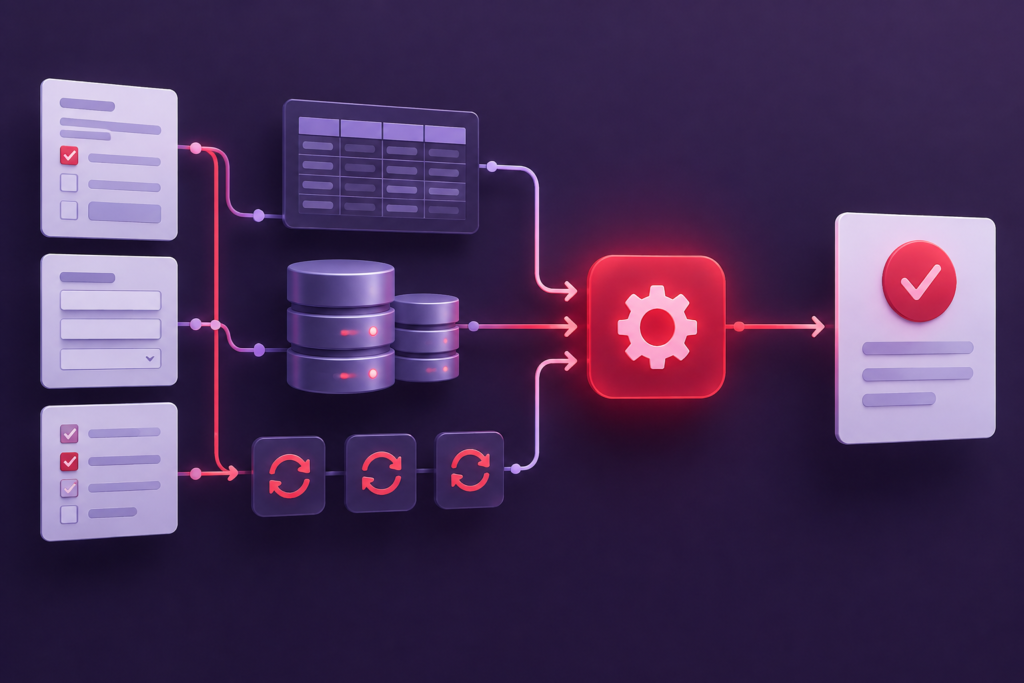
Workflow automation can help reduce this repetitive work. The challenge is knowing where to start — and whether an existing tool is enough or a custom web application would be a better fit.
In this guide, you’ll learn how to identify automation opportunities in your business, evaluate which tasks are worth improving, and decide when a custom app might make sense.
What Is Workflow Automation?
Workflow automation means using software to perform or simplify steps in a business process that would otherwise require manual work.
For example, instead of manually copying information from a contact form into a spreadsheet, an automated workflow could save the submission, notify the appropriate employee, and update a tracking system.
Depending on the process, automation might involve a simple form, an integration between existing tools, a no-code platform, or a custom web application built around your business’s specific needs.
The goal isn’t to automate everything. It’s to reduce unnecessary work, prevent avoidable mistakes, and make important processes easier to manage.
1. Start by Looking at Your Everyday Tasks
The best automation opportunities often hide inside ordinary routines rather than major business processes.
For one week, pay attention to tasks you or your employees repeat. Don’t worry about finding a technical solution yet. Focus on identifying work that takes time, involves unnecessary steps, or regularly causes frustration.
A colleague of mine once said, “If you’re doing it in a spreadsheet, there’s probably a way to turn it into an app.”
Look for patterns such as:
- Copying the same information between spreadsheets, emails, and other systems.
- Creating similar reports manually every week or month.
- Sending routine emails or reminders to customers.
- Collecting information from customers and reorganizing it before work can begin.
- Tracking orders, projects, bookings, or requests across several documents.
- Looking up information in multiple places before answering a customer.
- Following up on tasks because there is no clear overview of their current status.
A task doesn’t need to be complicated to be worth improving. A simple process repeated dozens of times can create more unnecessary work than an occasional complex task.
Practical exercise: Write down five tasks that you or your team perform repeatedly. For each task, note how often it happens, how long it takes, and what information or tools are involved.
This gives you a starting point for deciding where improvements could have the greatest impact.
2. Recognize the Warning Signs of a Manual Workflow
Not every repetitive task needs software. However, certain patterns suggest that a workflow could benefit from automation.
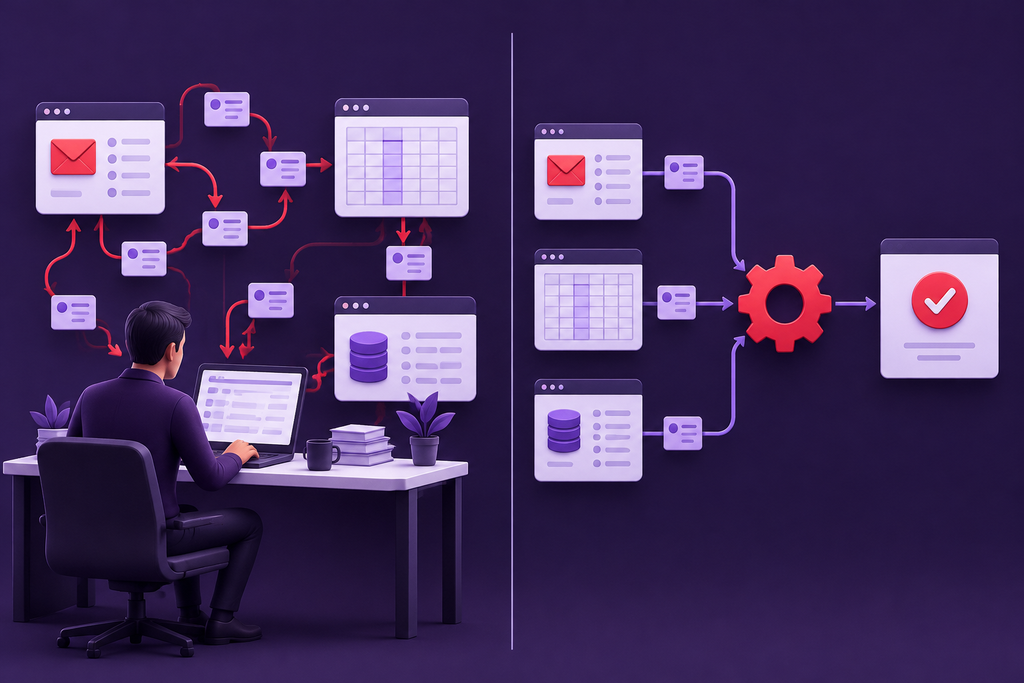
You enter the same information more than once
If customer details, order information, or project data must be entered into multiple systems, you’re spending time on work that may be avoidable.
Repeated data entry also creates opportunities for mistakes. A missing field, outdated value, or typing error can cause problems further down the process.
You rely on spreadsheets to coordinate everything
Spreadsheets can be excellent tools. They become harder to manage when multiple employees depend on them to track requests, update statuses, assign responsibilities, or maintain a shared overview.
If people frequently ask which version is correct or who last updated a record, the problem may be the workflow rather than the spreadsheet itself.
Important tasks depend on someone remembering
Perhaps an employee must remember to follow up with a customer, send a reminder, or update a record after completing a job.
If the process depends on individual memory, tasks can easily be missed during busy periods or staff absences. A better system might provide reminders, status tracking, or automated notifications.
You repeatedly combine information from different sources
Some businesses spend significant time gathering data from emails, spreadsheets, accounting tools, or other systems before they can make a decision or produce a report.
Connecting the relevant information or presenting it in one place could reduce manual work and make the process more reliable.
Your existing tools require too many workarounds
You may already have software for most of your needs, but still rely on extra spreadsheets, manual exports, and separate documents to make everything work together.
This is a useful signal to investigate. The solution could be a better configuration, an integration, a different existing tool, or — if the workflow is sufficiently specific — a custom application.
3. Calculate How Much Time a Task Really Costs
A task that takes only a few minutes might not seem important. The total time adds up when it happens frequently.
Use this simple calculation:
Time spent per month = time per task × number of occurrences per month
For example, imagine a business spends 10 minutes manually preparing and sending a routine report, and the task occurs 20 times per month.
That’s approximately 200 minutes, or 3 hours and 20 minutes, every month.
If another process takes 15 minutes and happens 40 times per month, it consumes 10 hours monthly.
These are illustrative examples, not guaranteed savings from automation. Some tasks still require human review, and an automated solution introduces its own setup and maintenance costs.
When estimating potential value, consider three factors:
- Time: How much repetitive work could realistically be removed?
- Errors: Would the improved process reduce mistakes, omissions, or rework?
- Business impact: Would faster handling improve customer service, delivery times, or your team’s capacity?
Start with processes where the problem occurs frequently and the potential benefit is easy to explain.
4. Which Business Tasks Could Be Automated?
The best opportunities depend on how your business operates. The following examples illustrate common areas to investigate.
Customer inquiries and follow-ups
A business might receive requests through its website, email, and other channels. Someone then needs to organize the information, assign responsibility, and make sure each customer receives a response.
A better workflow could collect requests in one place, categorize them, notify the right person, and track their status.
A custom application may be useful when the business has specific requirements that existing contact management or customer relationship management tools cannot handle efficiently.
Reporting and data collection
If employees regularly gather information from different sources to create the same report, some of the preparation may be automated.
Depending on the available systems, a solution could import data, apply consistent calculations, and present the results in a dashboard.
The important first step is to establish which data is needed, where it comes from, and which decisions the report supports.
Booking, scheduling, and job tracking
Businesses that coordinate appointments, projects, deliveries, or service visits may benefit from a clearer view of availability, assignments, and progress.
A suitable solution could help employees track work, identify delays, and keep relevant information accessible.
However, if an established booking or project management platform already meets the requirements, configuring that platform may be simpler than building a new application.
Internal forms and approval processes
Some businesses rely on email threads or documents to collect information and approve requests.
A structured workflow could validate submitted information, route requests to the appropriate person, record decisions, and notify the people involved.
This can be particularly useful when a process has several steps or depends on specific business rules.
Customer portals and self-service tools
Customers may repeatedly contact a business to request updates, submit information, or check the status of an ongoing job.
Depending on the business, a customer-facing web application could let users access relevant information or complete routine actions themselves.
Such a solution requires careful consideration of access permissions, data protection, and the information customers should be allowed to see.
5. Decide Whether You Need a Custom App
Once you’ve identified a frustrating workflow, the next step is to choose an appropriate solution.
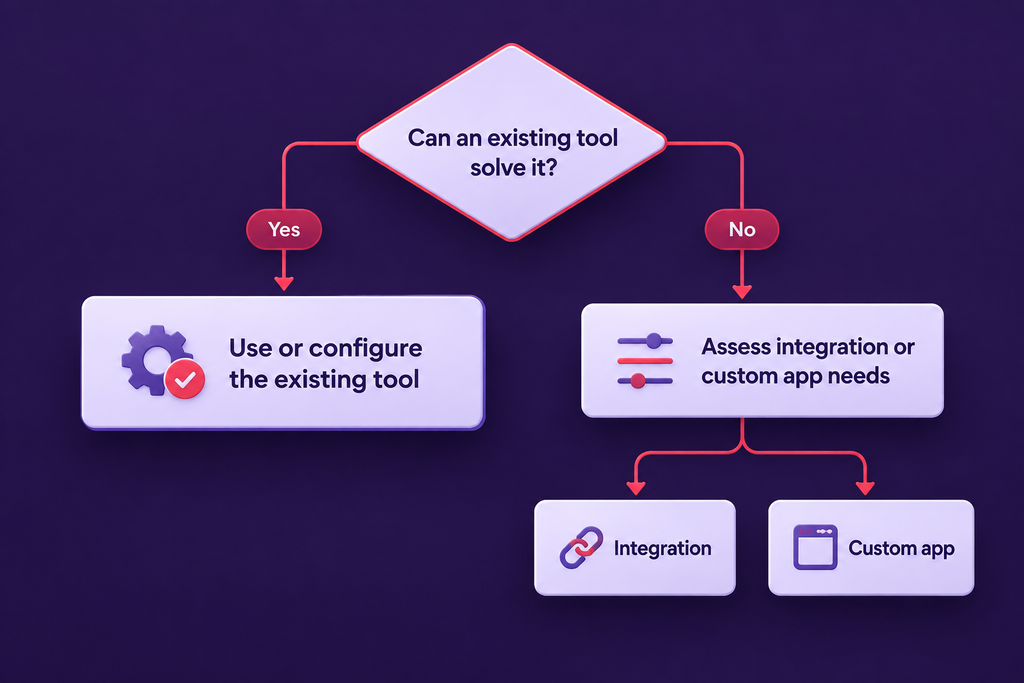
Custom software isn’t automatically the best answer. In many cases, an existing product or a small improvement to your current process will be more affordable and easier to maintain.
When an existing tool may be enough
Consider using an existing tool or improving your current setup when:
- The process is common and well supported by established software.
- You only need a basic form, notification, or report.
- A simple integration could connect the systems you already use.
- The workflow is still changing and you haven’t established what you need.
- The expected benefits don’t justify the cost of development.
Before commissioning a custom application, investigate whether your current tools already offer the required features.
When a custom web app may make sense
A custom application becomes more worth investigating when:
- Your process has specific rules that generic software cannot handle well.
- Your team repeatedly works around the limitations of existing tools.
- Information needs to be combined or presented in a way that standard products don’t support.
- Several people need a shared interface for managing a particular workflow.
- The process is important enough that improvements could deliver meaningful long-term value.
For example, a service company might need one internal view that combines incoming customer requests, job assignments, deadlines, and completion status. If its existing tools cannot provide this effectively, a focused custom web app might help.
The key is to define the problem before choosing the technology. A successful project should improve a real business process, not introduce software simply for its own sake.
6. Start With One Workflow, Not an Entire Business
It can be tempting to plan a large system that handles many different tasks at once. A more practical approach is to start with one well-defined problem.
Use the following steps:
- Describe the current process. Write down what triggers the task, who handles it, what information is needed, and how the work is completed.
- Identify the friction. Highlight unnecessary data entry, repeated decisions, delays, errors, and handoffs between people.
- Define the desired outcome. Decide what should become faster, more reliable, or easier to track.
- Review possible solutions. Compare process improvements, existing software, integrations, and custom development.
- Estimate the value. Consider potential time savings, reduced errors, implementation costs, and ongoing maintenance.
- Build and test a small solution. If custom development is justified, begin with the most valuable part of the workflow and refine it using feedback.
A smaller initial project is easier to evaluate. It also helps establish what works before investing in a larger system.
7. Your Workflow Automation Checklist
Use this checklist to evaluate a task in your business.
- The task is repeated regularly.
- It takes a noticeable amount of time (weekly/monthly).
- The process includes manual data entry or repeated information gathering.
- Mistakes, delays, or missed steps occur.
- The process has clear inputs and an identifiable outcome.
- You understand which people and systems are involved.
- You’ve considered whether existing tools can solve the problem.
- You can describe how an improved workflow would benefit the business.
- The expected benefit could justify implementation and ongoing costs.
You don’t need to check every box before exploring a solution. The checklist is intended to help you identify promising opportunities and clarify what needs further investigation.
Turn a Repetitive Task Into a Better Workflow
Workflow automation begins with understanding how your business operates today. Once you identify a recurring problem and estimate its impact, you can decide whether a process change, an existing tool, an integration, or a custom web application is the right next step.
You don’t need a complete technical specification to start that conversation. A clear description of the task, the people involved, and what currently makes the process difficult is often enough to explore possible solutions.
Could a custom web app simplify a process in your business?
Embryo Systems helps businesses explore and develop tailored web solutions based on their needs. If you have a repetitive task, a manual workflow, or a process that doesn’t fit your existing tools, get in touch to discuss the problem and possible approaches.
Frequently Asked Questions
What is an example of workflow automation in a small business?
A simple example is automatically collecting website inquiries in one place, notifying the responsible employee, and tracking whether each inquiry has been handled. More advanced workflows may involve reporting, scheduling, integrations, or custom internal applications.
Does every repetitive task need to be automated?
No. Some tasks are infrequent, require human judgment, or are already handled efficiently. Automation is most worth investigating when a process is repeated often enough, causes meaningful friction, and can be improved at a reasonable cost.
Do I need a custom app to automate my business?
Not necessarily. Existing software, built-in automation features, and integrations can handle many common workflows. Custom development is worth considering when your requirements are specific and available tools cannot meet them without excessive workarounds.
How do I know whether automation is worth the investment?
Start by estimating how much time the task consumes, how often errors occur, and what the business would gain from improving it. Compare those benefits with implementation costs, ongoing maintenance, and any new operational risks.
What should I prepare before discussing a custom app with a developer?
Describe the current process, who uses it, what information it handles, which steps cause problems, and what a better outcome would look like. You don’t need to know the technical solution in advance.