Making a website can seem complicated if you have never done it before. You may have heard about domains, hosting, WordPress, website builders, SEO, plugins, and responsive design — and not know where to start.
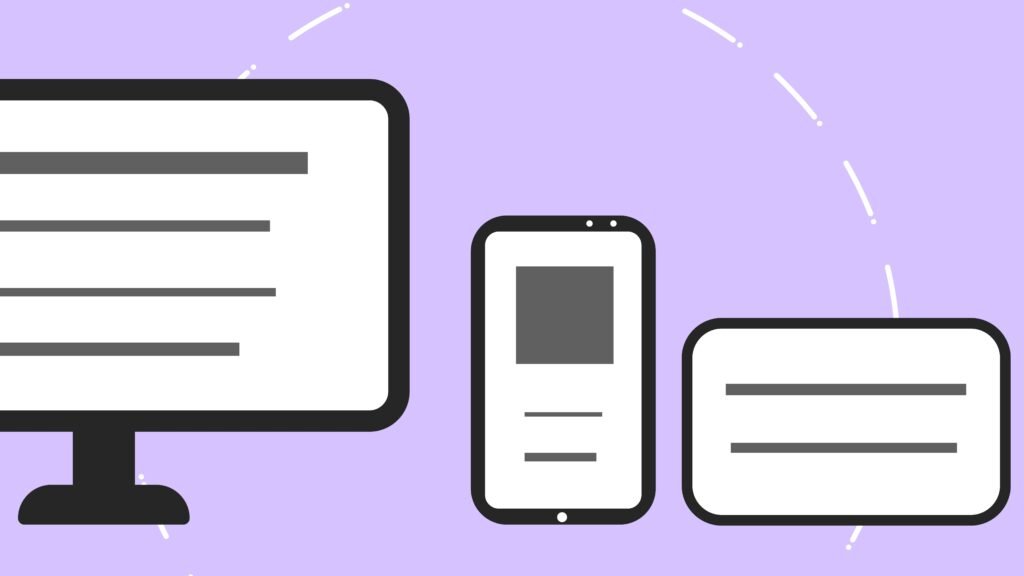
The good news is that you do not need to be a professional developer to create a website. Modern website builders and content management systems make it possible to build a website without writing code, while developers can create fully custom websites for projects with more advanced requirements. WordPress itself now offers both traditional DIY website creation and AI-assisted building options.
The important part is choosing the right approach for your goals.
In this guide, we will walk through how to build a website from start to finish. From deciding what it should do to choosing a platform, creating your pages, optimizing your site for search engines, testing everything, and finally launching.
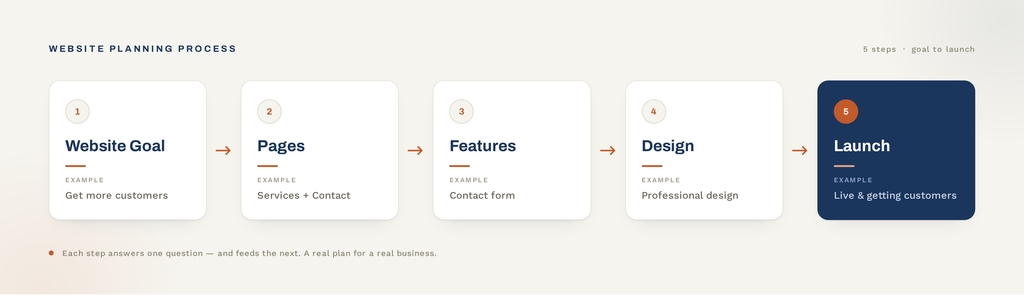
1. Decide What Your Website Should Do
Before buying a domain or choosing a website builder, think about the purpose of your site.
A website can have many different goals. For example, you might want to:
- Introduce your business
- Generate leads and inquiries
- Sell products online
- Showcase your portfolio
- Publish a blog
- Allow customers to book appointments
- Provide information about your services
- Build an online community
- Provide access to a web application
The purpose should influence almost every decision you make later.
For example, a small local business might only need a few pages explaining its services, location, and contact information. An online store will need product pages, shopping cart functionality, payments, and order management.
A more complex business might need custom functionality or integrations with other systems.
Start with the goal, not the technology.
If you are creating a business website, a useful question is:
What should a visitor do after visiting my website?
The answer might be “contact us”, “request a quote”, “book an appointment”, or “buy a product”.
Once you know that, it becomes much easier to decide what your site needs.
2. Choose How You Want to Build Your Website
There is no single way to make a website.
Today, you can choose between website builders, content management systems such as WordPress, AI-assisted tools, or completely custom development.
Website Builders
Website builders are designed for people who want to create a site without coding.
Examples include platforms that provide:
- Drag-and-drop editors
- Templates
- Hosting
- Domain connections
- Built-in forms
- Basic SEO tools
They can be a good choice for simple websites where ease of use is more important than complete flexibility.
WordPress
WordPress is a flexible content management system that can be used for everything from simple business websites to large websites and online stores.
With WordPress, you can choose a theme, add plugins, and customize the website to fit your needs.
The tradeoff is that WordPress websites require more maintenance than many all-in-one website builders. Themes, plugins, WordPress itself, backups, security, and hosting may all need attention.
AI Website Builders
AI can now help generate website layouts, content, and other parts of a website. WordPress.com, for example, offers an AI site builder that can generate a website from a prompt and then allow the user to customize it.
AI can significantly speed up the starting process, but generating a website is not the same as launching it.
You still need to review the content, check the design, test the functionality, optimize the site, and make sure it actually serves your visitors.
Custom Development
For projects with unique requirements, a custom site or web application may make more sense.
Custom development can be useful when you need things such as:
- Custom business logic
- Advanced integrations
- Customer portals
- Internal tools
- Unique workflows
- Complex databases
- Specialized web applications
The downside is that custom development usually requires more time, technical knowledge, and budget.
Which Option Should You Choose?
There is no universally best platform.
| Approach | Difficulty | Flexibility | Best for |
|---|---|---|---|
| Website builder | Low | Medium | Simple websites |
| WordPress | Medium | High | Business websites, blogs and content-heavy sites |
| AI website builder | Low | Medium | Fast initial websites |
| Custom development | High | Very high | Unique functionality and web applications |
The right choice depends on your budget, technical skills, time, and what you want the website to accomplish.
If you are building a website for a business, it is also worth considering the total cost before you begin.
3. Choose a Domain Name
Your domain is your website’s address.
For example:
yourbusiness.com
A good domain should be:
- Easy to remember
- Easy to spell
- Relatively short
- Relevant to your brand
- Easy to say out loud
If possible, avoid unnecessarily complicated names, numbers, or unusual spellings that make the domain difficult to communicate.
For a business, your domain is also part of your brand, so think about how it will look on business cards, social media, search results, and email addresses.
You also need to choose an appropriate domain extension.
Common examples include:
.com.org.net.fi- Country-specific extensions for other markets
You do not necessarily need a keyword-rich domain. A clear, memorable brand name can be a perfectly good choice.
4. Get Web Hosting
A domain tells people where your website is.
Hosting is where your site and its files are stored so that visitors can access them online.
Think of it this way:
Domain = your website’s address
Hosting = the place where your website lives
The hosting you need depends on your website.
A small business site might work perfectly well on an affordable shared hosting plan. A high-traffic website or custom application may require more powerful infrastructure.
When choosing hosting, consider:
- Performance
- Reliability
- Security
- SSL/HTTPS support
- Backups
- Customer support
- Storage
- Scalability
- Compatibility with your chosen platform
You do not necessarily need the most expensive hosting plan.
You need hosting that is appropriate for the website you are building.
5. Plan Your Website Structure
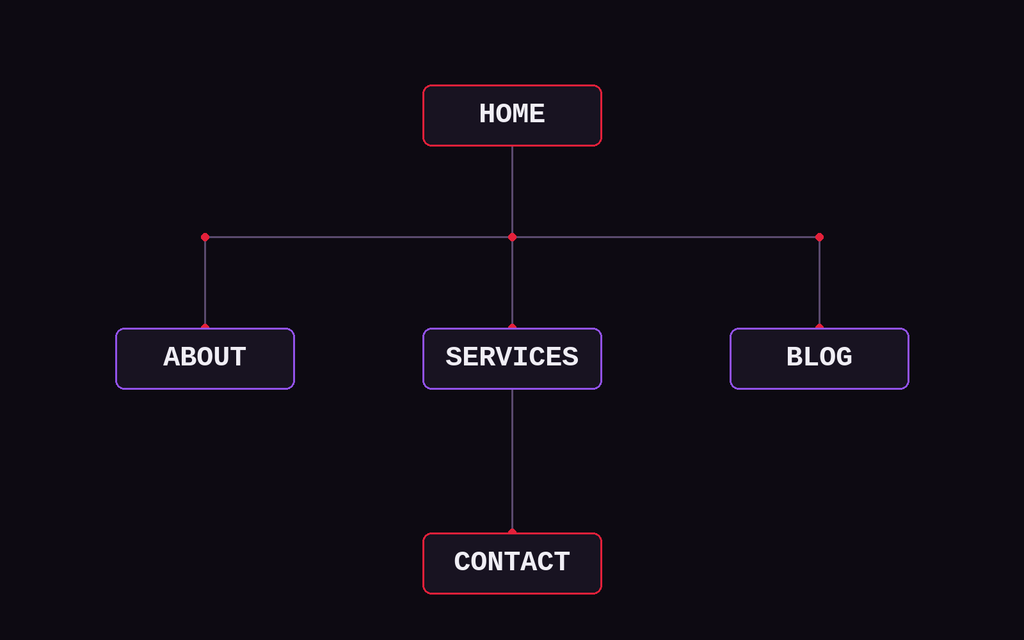
Before designing individual pages, decide what pages your website actually needs.
A simple business website might include:
- Home
- About
- Services
- Contact
- Privacy Policy
You might also need:
- FAQ
- Blog
- Portfolio
- Pricing
- Booking
- Testimonials
- Case studies
Do not create pages simply because other websites have them.
Every page should have a purpose.
For example, a service page should explain what you offer and help visitors understand what to do next.
Your navigation should also be simple enough that visitors can quickly find what they are looking for.
A visitor should not have to explore five different menus just to find your contact information.
6. Design Your Website
Now you can start thinking about how your website should look.
Good web design is not simply about choosing attractive colors and fonts.
Your design should help visitors understand:
- What the business does
- Who the business is for
- Why they should care
- What they should do next
A professional website should also be consistent.
Use a limited set of:
- Colors
- Fonts
- Button styles
- Spacing
- Image styles
- Heading styles
Your homepage should communicate the most important information quickly.
For example:
Web Development for Small Businesses
Professional websites, technical fixes, and custom web solutions.
Then give the visitor an obvious next step:
Request a Quote
Design for Mobile
Your website also needs to work well on mobile devices.
Do not design only for a large desktop monitor and assume everything will automatically look good on a phone.
Check:
- Navigation
- Text size
- Buttons
- Images
- Forms
- Spacing
- Tables
- Page width
- Loading performance
A responsive website should adapt its layout to different screen sizes.
7. Create Your Website Content
A website needs more than a nice design.
You also need useful content.
For a business website, start with the basics:
Homepage
Explain:
- What you do
- Who you help
- What makes your service useful
- What visitors should do next
Services
Explain each service clearly.
Do not only list features. Explain what problem the service solves.
About
Tell visitors who is behind the business and why they should trust you.
Contact
Make it easy to get in touch.
Depending on the business, this could be:
- Phone
- Contact form
- Booking system
- Physical address
- Social media
Blog
A blog can help you publish useful information related to your industry and answer questions your potential customers are searching for.
For example, a web development company might publish articles about:
- Website costs
- WordPress problems
- Website maintenance
- SEO
- Website design
- Website security
The most important thing is that your content should be written for real visitors first.
8. Add the Functionality Your Website Needs
Once the basic pages and content are ready, add the functionality your visitors actually need.
Depending on the website, this could include:
- Contact forms
- Booking systems
- Online payments
- E-commerce
- Maps
- Newsletter signup
- Search
- Customer accounts
- Analytics
- Social media integrations
If you are using WordPress, plugins can add many of these features without requiring custom programming.
However, avoid installing plugins simply because they look useful.
Every additional component can add complexity and may require future updates and maintenance.
Install what you actually need.
9. Make Your Website SEO-Friendly
Search engine optimization, or SEO, helps search engines understand your website and can help your pages appear when people search for relevant information.
You do not need to master advanced SEO before launching your first website.
Start with the basics.
Use Clear Page Titles
Each page should have a descriptive title that tells visitors and search engines what the page is about.
Use Headings Properly
Use headings to organize your content.
Your main page title should be an H1, with H2 and H3 headings used to structure the sections below it.
Write Useful Content
Do not create pages simply to target keywords.
Instead, answer the questions your potential customers actually have.
Use Descriptive URLs
A URL such as:
example.com/web-design
is easier to understand than:
example.com/page?id=123
Optimize Images
Large, unoptimized images can slow down your website.
Use appropriately sized images and descriptive alternative text where appropriate.
Link Related Pages
Internal links help visitors discover related content and help search engines understand how your pages relate to one another.
Google’s own documentation recommends focusing on useful content and making sure search engines can access and understand your website. Google also provides Search Console for monitoring indexing and search performance.
SEO is not something you “finish” once.
It is an ongoing process involving content, technical improvements, and understanding what your audience is searching for.
10. Make Your Website Secure
Security should be considered from the beginning.
At a minimum, make sure your website uses HTTPS and that your website software is kept up to date.
If you are using WordPress, this means keeping:
- WordPress
- Themes
- Plugins
updated.
You should also have reliable backups.
Security is particularly important if your website contains customer information, accepts payments, or allows users to create accounts.
A simple business website still needs basic security practices.
11. Test Everything Before Launching
This is one of the most commonly overlooked steps when creating a website.
A website can look finished while still containing broken links, forms that do not work, or layouts that break on mobile devices.
Before launching, check the entire website.
Website Launch Checklist
- Does the navigation work?
- Do all important links work?
- Does the contact form work?
- Do emails arrive correctly?
- Does the website work on mobile?
- Are images displaying correctly?
- Are there any placeholder texts?
- Are there spelling or grammar errors?
- Does every important page have a title?
- Are the URLs correct?
- Is HTTPS working?
- Is the favicon configured?
- Are unnecessary pages hidden from search engines?
- Can search engines access the pages you want indexed?
- Are analytics and other required tools configured?
Do not test only on your own computer.
Open the website on a phone, tablet, and different desktop browsers if possible.
You may be surprised by how many small problems you discover.
12. Launch Your Website
Once everything has been tested, it is time to launch.
Depending on your platform, this might mean connecting your domain, changing your website visibility settings, or simply publishing your pages.
Before making the site public, review the website one more time.
Check the homepage.
Click the main buttons.
Submit the contact form.
Open the website on your phone.
It may sound repetitive, but the final check can catch problems that were introduced during the last changes.
After launch, remember that publishing the website is not the end of the process.
It is the beginning.
13. Maintain and Improve Your Website
A website is not a one-time project that you build and then forget about.
Over time, you may need to:
- Update content
- Add new pages
- Fix broken links
- Update WordPress and plugins
- Monitor security
- Improve performance
- Publish new articles
- Review SEO
- Update images
- Add new functionality
- Improve the user experience
For a small business, regular maintenance can also prevent small technical problems from becoming larger ones.
If you do not want to manage all of this yourself, ongoing website maintenance can be handled by a web developer.
Should You Build a Website Yourself or Hire a Professional?
Building a website yourself can be a great option.
If you have a simple project, enough time to learn, and a limited budget, a website builder or WordPress can give you everything you need.
Build It Yourself If:
- Your website is relatively simple
- Your budget is limited
- You have time to learn
- You enjoy working with technology
- You are comfortable maintaining the website yourself
Consider Hiring a Professional If:
- Your website is important to your business
- You do not have time to build it yourself
- You need custom functionality
- You need help with design
- You need technical troubleshooting
- You want someone else to handle maintenance
- Your website needs to integrate with other systems
There is no universally correct answer.
The right choice depends on the importance of the website, your available time, your technical skills, and the complexity of the project.
Final Thoughts
Learning how to create a website is much easier than it used to be.
You do not necessarily need to know how to code, and there are now many different tools and platforms that can help you get started.
But creating a website is more than putting some text and images on a page.
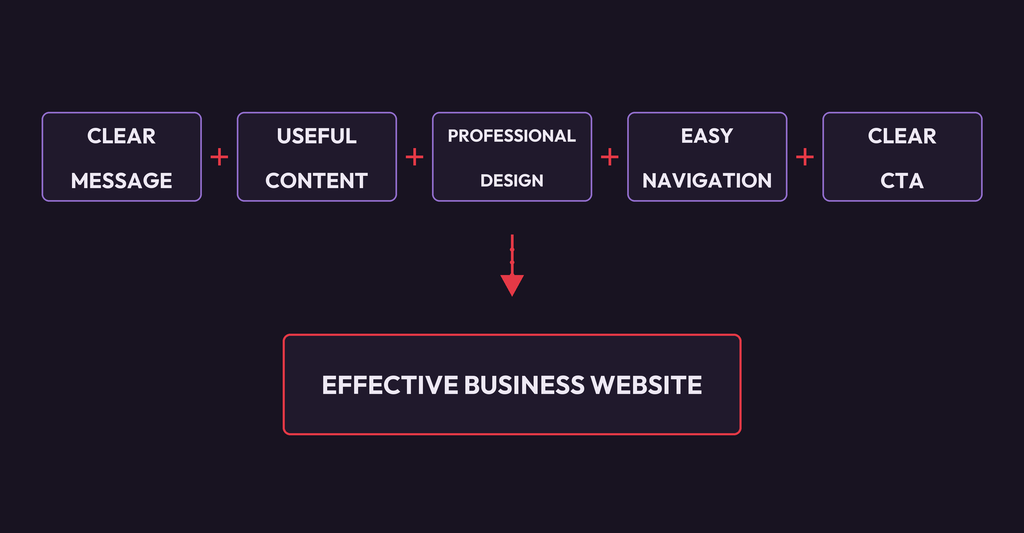
A good website should have a clear purpose, useful content, intuitive navigation, responsive design, appropriate functionality, and a clear path for visitors to take the next step.
Whether you build it yourself with WordPress or a website builder, use AI to speed up the process, or hire a professional developer, start with the same question:
What should this website accomplish?
Once that is clear, the technology and design decisions become much easier.
Need Help Building Your Website?
If you would rather focus on your business than spend your time dealing with website design, technical problems, or development, Embryo Systems can help.
From simple business websites and technical fixes to custom web applications, we can help you build and maintain a website that fits your needs.